
 Written by
Daniel van Hek
Search Clicks·August 24, 2026
11 min read
Written by
Daniel van Hek
Search Clicks·August 24, 2026
11 min read
Come on, grab your coffee for a minute. Because if you launch a Google Ads campaign with only “what should I advertise?”, you almost always lose both speed and money. A strong campaign starts with one simple question: which action do you want someone to take, and how do you measure that reliably?
In practice, I see three mistakes come back again and again. One, tracking isn’t set up properly yet, so you end up optimizing noise. Two, the campaign is too broad, so your budget gets spread across the whole funnel. Three, we do place ads, but we don’t make the landing page and the conversion path clear enough. Then people click, but they don’t buy or enquire.
Today we’ll walk you through it step by step. Including the strategy behind every choice, what works in the real world, and what you should do next. We’ll keep it practical, because your time is money too.
Your first task is the definition game. What counts as a real conversion for you? Sometimes that’s a form submission. Sometimes it’s a purchase. In B2B, it can also be a booking or a qualification moment. Note: you can track multiple conversions, but you must decide which one is primary for optimization.
Google Ads drives bids and machine learning based on your conversions. If your primary goal is something that says little about quality, you’ll often get volume, not profit.
The foundation is website conversion tracking. Google also explains how you can set up enhanced conversions for web with the Google tag or with Google Tag Manager (GTM). That’s especially relevant if you want to improve data quality, for example when fewer signals are available through standard tracking. (support.google.com)
Why this works, in plain language: you make the link between what someone fills in and the ad interaction more reliable. That allows Google Ads to see better patterns and optimize with more context. No magic, just better measurement quality.
Practical check: review every conversion to make sure it fires consistently. Not only on a “happy path”, but also on error messages, double submits, and mobile flows. These are often the places where measurement quietly drifts.
If you use lead forms in ads, there are specific requirements and rules around lead forms and privacy policy. Google provides guidance on this in its policies. (support.google.com)
If a deal only closes offline later on (for example after sales follow-up), you can import offline conversions. Think of “Sales Qualified Lead” if that’s the step you measure and want to see as a conversion in the ad platform. (At that stage we also discuss how to organize the match between interaction and offline event, without unnecessary friction.)
Trade-off: better tracking takes time to implement and QA. But without this step, you’ll keep optimizing on data you don’t fully trust. And that is rarely the fastest route.
Google Ads is not “one ad cannon”. You buy ad space through different campaign types. Each type is built for a different way of searching, discovering, or converting.
Google explains that your campaign type determines what kind of ads and inventory you use. (support.google.com)
Search campaigns let you advertise on search queries. This is ideal if you already know which questions buyers ask. Your control is high, and you can quickly iterate on search terms and ad copy.
Why it works: people show intent in their search. Your relevant message appears at exactly that moment.
Performance Max is a goal-based campaign type that lets you buy broadly across multiple channels in Google Ads. Google describes this campaign type as focused on conversions and converting customers across, among others, Search, YouTube, Display, Discover, Gmail and Maps. (support.google.com)
Why it works: you provide signals and assets, and the system looks for people with similar behavior. So you give up less manual control over targeting, but you do need better input.
Limitation: Performance Max is not “set and forget”. You still want to look at conversion quality, and you want to make assets and landing pages consistent with your offer. Otherwise you may get traffic, but not the right leads or sales stage.
Important nuance: Google also states that if a search query overlaps between a Search campaign and Performance Max, the Search campaign can take priority. (support.google.com) That means your account structure matters.
Whatever campaign type you choose, the output is never just “ads”. It is always “ads plus landing page plus tracking”. If your landing page is vague, your ad promise is vague too. Your CVR (Conversion Rate) then stays behind, and your CPA (Cost Per Acquisition or Cost Per Action, depending on the definition you choose in your setup) becomes unfavorable.
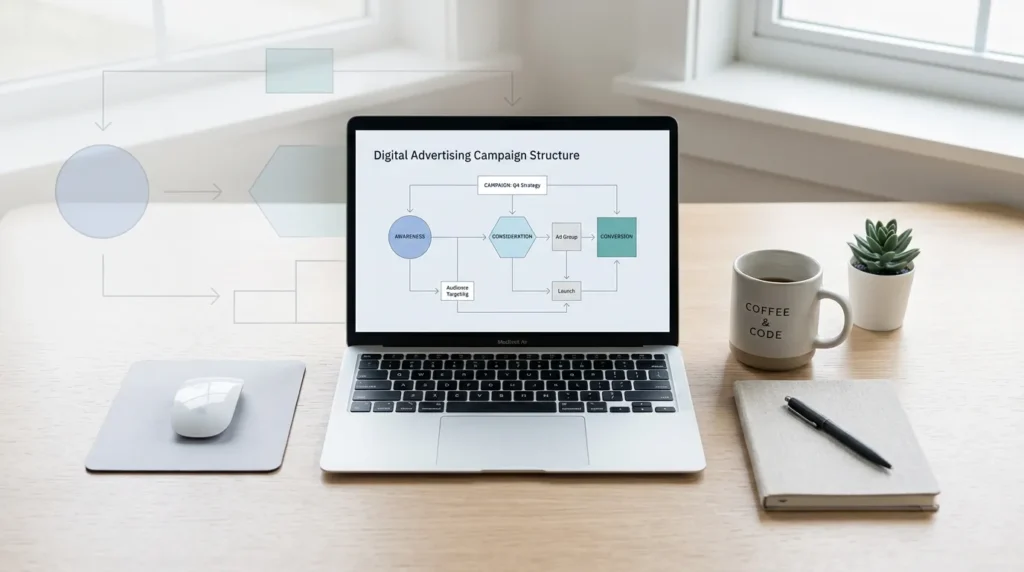
A campaign is only scalable if you can understand it without spreadsheet stress. So: build structure based on commercial behavior, not gut feeling.
A practical approach:
That way you can see what the system does per segment, and where you need to take action.
If you’re new or rebuilding, give the system room to learn. But you also don’t want to burn money for six weeks in the wrong structure.
My recommendation, in plain words:
Trade-off: spending faster can mean learning faster, but it can also lock in the wrong learnings faster. That’s why we prefer controlled testing over brute growth.
Your ad is a question. Your landing page is the answer. If those two don’t match, you don’t just lose conversions, you also often pay for “almost buyers”.
Write ad copy from the question the visitor already has in mind. Think about:
In practice, we often see that this affects not only CTR (Click-Through Rate), but especially CVR. Because people recognize themselves in your offer.
For landing pages, one rule applies: remove friction. Not everything has to be there, only the essentials.
Concretely:
And yes, you measure this. If conversion doesn’t improve, you look for the bottleneck. Sometimes it’s copy. Sometimes it’s the form. Sometimes the offer is too broad.
No conversions is not “bad luck”. It’s a signal. Usually one of these:
Go through this systematically. That prevents you from frantically changing everything at once. (And that’s the real reason “optimization” often feels frustrating.)
Optimizing does not mean clicking buttons more often. It means steering on signals. And you get those signals from your data.
You want to steer at least on:
Note: reporting is only useful if you make decisions with it.
We prefer to experiment with one change at a time. For example:
The hypothesis is simple: “If we reduce friction, CVR rises, and CPA falls.” If that doesn’t happen, we know the bottleneck is elsewhere.
Enhanced conversions is one route to improve measurement quality. Google explains that you can set it up with the Google tag or via GTM, and that it is relevant in scenarios where you want to optimize with more context. (support.google.com)
Limitation: measurement quality still depends on what permissions and signals are available. That’s why it’s important not to steer only on “the total number”, but also on consistency and plausibility.
Costs depend on many variables, such as competition, keyword intent and landing page performance. If you want to understand how advertising on Google translates into costs in practice, this article is a useful starting point: Google Ads costs: What does advertising on Google cost?
Don’t use this as a “price card”. Use it as context to interpret your own results.
Okay, now for the concrete part. This is your checklist for setting up a Google Ads campaign. Follow it in this order.
If you do this properly, you’ll have something many teams lack: a campaign you can explain. And that is exactly what you need to make better decisions faster.
You don’t need to be a wizard to make a Google Ads campaign perform well. What you do need is three things: measure conversions reliably, choose campaign types that match intent and goal, and then optimize bottlenecks with real data.
Start with tracking, build your structure so it’s manageable, make sure your ad and landing page reinforce each other, and only then start “scaling up”. That is the shortest route to results, without unnecessary costs and without guessing. And if you get stuck anywhere, treat it as a diagnosis. We solve it, step by step.
Book a free strategy call and discover how many leads we can generate for your business. No obligations — just a concrete growth plan.
Book your free strategy call → Book your free strategy call — 30 min, no strings attached