

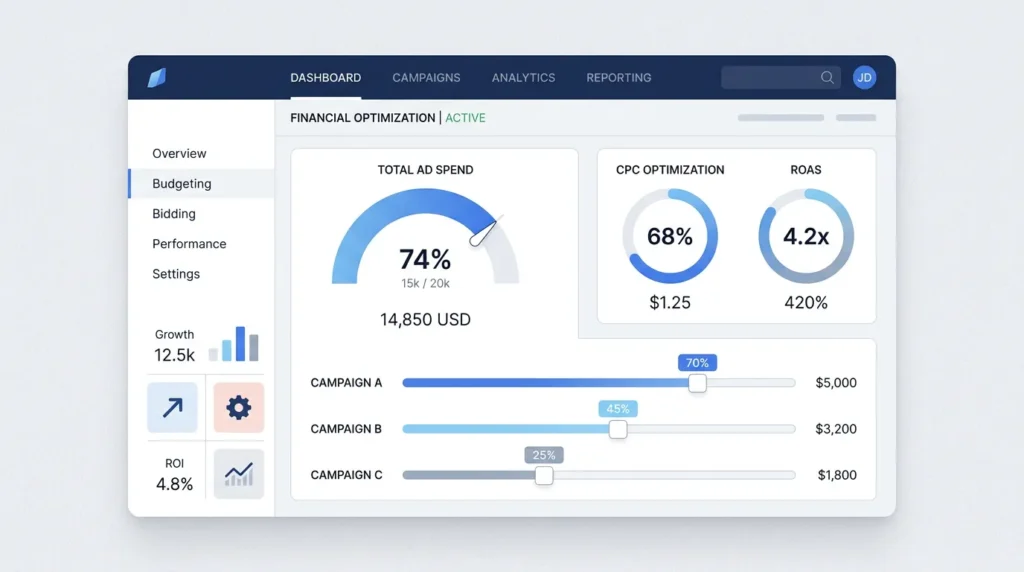
Grab a coffee, because “search budget” sounds simple, but it’s really the lever that decides whether your Search Engine Advertising (SEA) performs predictably or just burns money. If your budget is too tight, you win fewer auctions. If it’s too loose, you get traffic that doesn’t convert into real conversions. And in both scenarios, you feel it in your KPIs.
In this article, we’ll walk through how to design your SEA budget smartly, how to tie it to conversions (and not to clicks that go nowhere), and which settings you use to stop the system from only “trying hard” within your limits. In short: we turn your budget into a control mechanism, not a lottery.
What do we mean by search budget, and why it’s not just “more budget”?
When you say “search budget,” we’re talking about two things at once:
- Budget, the amount you make available on average per day or per month for your campaigns.
- Bidding, the way your algorithm decides which search terms it will bid on and where.
Google Ads works through auctions, where your position and visibility depend not only on your bid, but also on ad and landing page quality and the context of the search query. So the basics are: your budget determines how often you can compete; your bidding strategy and quality determine how smartly you compete. In the Google Ads auction, “Ad Rank” works as a combination of bid, quality and the expected impact of ad assets and formats. (support.google.com)
And then comes the part where many teams get stuck: budget can limit your bidding strategy. Google explains that campaigns marked “Limited by budget” are affected because the system can’t fully apply value optimization, since the budget is a hard constraint. (support.google.com)
Put simply: if you only look at “spend,” you miss the real question. The real question is: is your campaign steering toward conversions you’re willing to pay for? If the answer is no, then your budget isn’t the problem. Your measurement layer or your funnel is the problem.
Starting point: get goals, metrics and conversion tracking right
You can time your budget beautifully, but if your conversions are wrong, you’ll optimize on the wrong signals. We see this all the time in practice. That’s why this is your first step, even if you’d rather start talking about “budgets” right away.
1) Choose your primary conversion goal (and write it down)
In SEA, we optimize for what matters commercially. For many businesses, that’s an appointment, enquiry, quote request or contact action. Set one primary conversion and treat other actions as supporting signals.
Note: definitions matter. In this text, we use CPA as Cost Per Acquisition (cost per conversion). If your team uses CPA and “cost per sale” interchangeably, confusion quickly creeps into your KPIs.
2) Measure in Google Analytics 4 (GA4) plus an ad feed the system trusts
Your campaign needs to know when a visitor truly converts. GA4 often plays a role there, and Consent Mode supports how measurement is adjusted based on consent. Google explains that Consent Mode uses tag settings for ad-related measurement use cases, such as enhanced conversions and tag-based conversion tracking. (support.google.com)
Be honest in your approach: consent and tracking are never “100 percent.” But you can make sure your data quality is consistent, and that you’re not basing optimization on gaps.
3) Use Google Tag Manager (GTM) smartly, not as a “dumping ground”
GTM helps you manage tags consistently, but it’s not magic. Build a small, manageable measurement plan. And test whether your conversions actually come in at the right point in your funnel. Only then should you link budget to performance.
Budget planning that works: from funnel to bidding room
Let’s get concrete. Your budget has to fit your market intent and your sales cycle. An e-commerce business with a fast purchase path has different conversion dynamics than a service provider with intake calls. That’s why we steer on three principles.
Principle A: reserve bidding room for the auctions that matter
You can’t just set “spend” in Google Ads. Your bidding strategy works together with your budget. Google also explains that bids influence the amount of traffic your ads get, and that you keep control through an average daily budget setting. (support.google.com)
A practical rule of thumb we often see in projects: make room for learning periods and don’t keep your bidding strategy permanently squeezed. If you’re structurally ending up in “Limited by budget,” then you’re no longer optimizing on value, but on constraints. (support.google.com)
Principle B: split campaigns by intent so budget doesn’t flatten everything
A common mistake: putting everything in one bucket. Then you lose control over traffic quality. We recommend grouping your campaigns by intent, for example:
- Exact and high-intent keywords (near-transaction)
- Problem- and need-based searches (education and comparison)
- Brand and grouped searches (if relevant)
Why this works: your bidding strategy gets more uniform signals, and you can allocate budget to the places where your conversion chance is highest.
Principle C: build toward measurable lead quality, not “lots of enquiries”
If your SEA mainly runs on forms, it’s easy to think every enquiry is equal. In lead generation, that’s usually not true. You often have Marketing Qualified Leads (MQL) and Sales Qualified Leads (SQL), with a filtering step in between.
If you want to sharpen this, it helps to tie your SEA optimization to lead quality. In our approach, that comes together in strategies such as Search optimization: from clicks to measurable leads.
What you set in Google Ads: bidding strategy, quality and budget limits
Okay, we now know the goal and we know tracking is right. Now we’re moving to the “knobs” that really affect your budget.
1) Understand the auction: quality plus expected impact determine your room to play
Google explains that Ad Rank depends, among other things, on your bid, ad quality, thresholds, context and the expected impact of extensions and other ad formats. (support.google.com)
What does that mean for your search budget?
- If your landing page isn’t relevant or is hard to navigate, each click costs you more and converts less.
- If your ad assets and formats don’t match intent, your chance of a favorable auction outcome drops.
That’s why we don’t see budget separately from CRO (Conversion Rate Optimization), because your budget doesn’t just “buy” clicks. It buys conversion opportunities.
2) Choose your bidding strategy based on data volume, not hope
Google Ads has bidding strategies that optimize for value or conversions. But that optimization only works well if you see enough conversions and your measurement layer is reliable. In Google’s documentation and supporting materials, it’s also emphasized that campaign status and learning periods have an effect, and that systems need signals in order to optimize. (services.google.com)
Concrete advice we often give:
- Start with a bidding strategy that fits your conversion goal and your data.
- Adjust your budget incrementally, not with big jumps every day.
- Check whether your campaign is structurally ending up budget limited.
3) Recognize “Limited by budget” and don’t react emotionally
Google explains that “Limited by budget” means there is more demand than your budget allows, and that this affects how the bidding strategy optimizes. (support.google.com)
We see three logical responses:
- Increase budget if your conversion quality and CPA stay within target.
- Adjust the goal if you’re optimizing too aggressively (for example, too low a Target CPA or too high a Target ROAS).
- Clean up the campaign level if traffic is coming in but conversion potential is low (landing page, targeting, matching).
Keep the trade-off in mind: more budget often means more volume, but it doesn’t automatically mean better lead quality. That’s why we always look at CVR (Conversion Rate) and lead qualification, not just spend.
4) Filter invalid traffic early, but don’t expect miracles
Invalid traffic is a known issue, and Google Ads explains that invalid traffic can include things like manual clicks to drive up spend, publishers paying users to click ads, and other mechanisms that distort measurement. (support.google.com)
We don’t recommend paranoia, but we do recommend a healthy check routine:
- Watch for abnormal CTR or conversion-rate drops.
- Check search terms for quality, especially with broad match.
- Use reporting to spot patterns, and feed exclusions back into the account.
From strategy to execution: a step-by-step plan for your next search budget round
Here’s the practical part. If you do this today, you’ll have better control within 2 to 4 weeks. No magic, just discipline.
Step 1: make your KPIs lead-driven
We choose 3 KPIs:
- CVR on your primary conversion (from click to conversion)
- CPA (Cost Per Acquisition) on that same conversion
- Lead quality with your internal manual or automated qualification flow (for example MQL versus SQL)
Why: without lead quality, you optimize for “enquiries,” not commercial value.
Step 2: audit your landing page for matching, not for design
Google Ads auctions look at relevance and expectations around landing page experience. (support.google.com)
Our audit checklist is short:
- Is the page consistent with the ad text and search intent?
- Is the primary CTA clear, without you having to scroll ten times?
- Can you fill in the form or appointment flow right away?
If you want to push further into CRO and lead quality, strategies like SEO SEA SEM explained: from click to customer fit well, because you can see the whole chain.
Step 3: set your budget up as a test, not as permanent truth
We run a test with a clear hypothesis:
- Hypothesis 1: more budget gives access to more auctions, and your CPA stays stable because CVR does not get worse.
- Hypothesis 2: more budget lowers efficiency because conversion quality doesn’t move with it.
Whichever outcome you see, you learn something. And that’s the only thing you need to make your search budget smarter.
Step 4: use conversion and lead quality data to correct your bidding room
If you’re budget limited, that’s a signal. But don’t react only to spend. We respond to:
- CPA versus your target
- CVR versus your baseline
- Lead qualification ratio (MQL to SQL)
If you also want to strengthen the wider lead flow, then a topic like Lead generation agency: when outsourcing pays off fits into your internal planning. Sometimes the bottleneck isn’t ads, but follow-up and qualification.
Step 5: plan an optimization rhythm
We work with a fixed rhythm:
- Weekly: search terms, negative keywords, landing page feedback and tracking checks.
- Every 2 weeks: ad copy variants and CTA sharpness, plus qualification evaluation.
- Monthly: budget and bidding strategy review based on trends.
That way, you stop constantly reacting to noise. And noise is the biggest budget thief of them all. (We’ve all “quickly” tweaked things on a Saturday evening at some point. No one needs to say that out loud.)
Common search budget mistakes and what to do instead
- Mistake: increasing budget while conversion tracking is still incomplete.
What you do: fix conversions first, then budget. - Mistake: optimizing for clicks or CTR, while the goal is an appointment or enquiry.
What you do: steer on the primary conversion, and only look at micro-metrics later. - Mistake: one campaign for all intents.
What you do: split by search intent so budget can land more intelligently. - Mistake: budget so tight that you’re always running “Limited by budget.”
What you do: adjust budget, bidding goal or targeting based on performance, not gut feeling. - Mistake: lead quality is not fed back.
What you do: integrate lead qualification into your KPIs. Then SEA becomes part of your sales process.
If you also work with automation for follow-up and qualification, make sure it supports the marketing and sales flow, without automated systems making budget changes or contract decisions. It’s fine to automate lead capture and qualification. It’s not okay to make a financial decision without a human check.
Conclusion: make your search budget predictable with a measurable rhythm
Search budget isn’t about how much money you free up. It’s about how you direct money through the right auctions toward the right conversions. If you understand the auction logic, have your tracking in order and tie your budget to lead quality, then SEA becomes a system you can steer.
Our suggestion for your next round is simple:
- Check tracking and consent setup.
- Make KPIs lead-driven, including CPA (Cost Per Acquisition) on your primary conversion.
- Steer with budget and bidding strategy, and respond to budget limits with data, not stress.
If you want to make this more practical for your account setup right away, a combination with campaign setup and ad sharpness can move you forward quickly, such as Google Ads SEA: How to set up Search campaigns tightly and Search Google Ads: How to sharpen Search campaigns.
