
 Written by
Daniel van Hek
Search Clicks·July 28, 2026
12 min read
Written by
Daniel van Hek
Search Clicks·July 28, 2026
12 min read
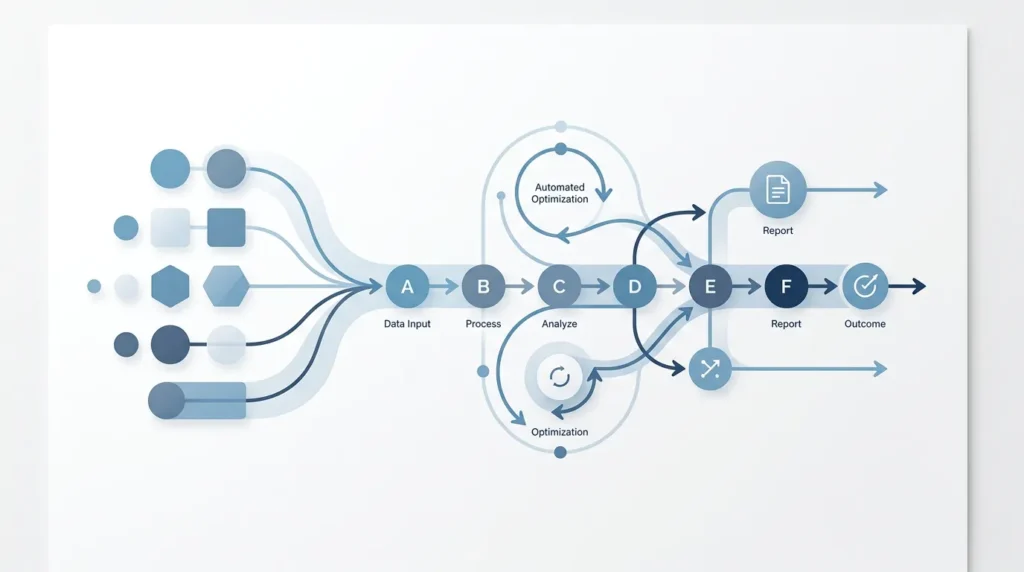
Imagine your team doing the same tasks every week, but without the typing and without the check rounds. That is what process automation means in practice: you strip repetition and busywork out of your processes, so people have time left for work that really calls for decisions.
In this article, we treat process automation as a hub: you’ll learn what you can automate, which results you can realistically expect, which kinds of tools you’ll run into, and above all, how to get started without the project turning into a months-long hunt for “the perfect solution”. We keep it concrete, with the trade-offs you want to understand from the start. (Because yes, process automation is not a magic button. It is a lever.)
Process automation is the smarter organisation of work so that part of the process runs on its own, with minimal human intervention. That can involve tasks, such as processing a form. But it can also involve an entire chain: from a request to a confirmation, registration, and follow-up action.
In practice, you’ll see two forms that come up often:
An important detail that many teams only learn later: process automation works best when the process is stable. If the input is different every time, “automatic” quickly becomes “manual correction”. And then part of the gain disappears. You can combine automation with checks, but then the question shifts to which controls make sense and who decides.
If we zoom out, there is also a fact worth remembering when setting expectations: research shows that not every task can be automated 100 percent, but that a large share of work in organisations consists of activities that are at least partially automatable. McKinsey, for example, reports that about 30 percent of activities in 60 percent of occupations can technically be automated. At the same time, you also see that almost all activities are fully automatable in only a small share of occupations. This helps you choose your scope honestly: aim for parts, not the whole miracle. (mckinsey.com)
If you’re thinking “we don’t have time for automation”, there’s a good chance you just haven’t chosen the right processes yet. We always start with a simple approach: look for work that (1) happens often, (2) has rules, (3) requires little creativity, and (4) can be measured in time or errors.
These are the most common areas where process automation gives quick results in our experience. Not because they’re flashy, but because they’re often repetitive and data-driven.
There are three “returns” we usually see first. Sometimes in the same month, sometimes within two to three months. But if you choose the right use case, you’ll see improvement anyway.
The NIST Center of MEP (Manufacturing Extension Partnership) emphasises in its material that automation is not only about saving labour, but also about broader benefits such as process stability and a better fit with your business needs. (nist.gov)
And one more important thing: process automation almost always comes with a trade-off. Often that trade-off is not “time” but “change”. Your team has to learn how exceptions are handled, who owns the process, and how you safeguard quality when work moves faster.
Let’s go straight to the heart of it. Automation only becomes valuable when you approach it as an improvement programme, not as a tool choice. Tools matter, but strategy is why it keeps working.
We never start with a list of twenty automation ideas. We want one process you can measure. Think of:
Why this works: you can only judge whether automation adds value if you know what happened before. Otherwise you’re optimising on instinct. And instinct is fine for coffee, not for processes.
Before you automate, break the process down into a few building blocks. We ask questions like:
You do not need to create the perfect process map right away. But you do need to know where decisions happen and where the work gets messy.
A common mistake is trying to make “everything automatic”. That leads to odd outcomes and extra correction work. A better approach:
This is the point where we often see automation suddenly become “workable”. Your team feels in control, while the standard workload still keeps moving.
Quality is not a spreadsheet afterwards. It belongs in your automation. Think validation rules, logging, and simple checks.
This reduces an important risk. Process automation without quality leads to “producing the wrong things faster”. Nobody wants that, except maybe a chaotic satirical sitcom.
Your first version does not have to be finished. It has to be usable. We recommend starting with a pilot, learning during the run, and only then expanding.
Why this works: processes change, data changes, and user expectations change. If you only start adjusting after months, the chance that stakeholders drop out is higher. Fast iterations make the project better and less stressful.
In the market, you’ll roughly see four tool categories. We’ll cover them functionally so you don’t get lost in brand names or marketing talk.
This is where you start for process steps. You define triggers (a form submitted, a file received, a status changed) and link actions (route, store, create task, send notifications). This works well for processes with clear rules and relatively predictable input.
Trade-off: if your input is very variable or a lot of interpretation is needed, your workflow can quickly turn into “rules and exceptions”. Then you need a second component.
Many automation projects fail not because the workflow is bad, but because the data is not reliable. That is why you often see integration tools: links between systems, field synchronisation, and handling differences in data models.
Practical tip: if you can’t explain how a field arrives and who adjusts it, you also can’t automate it properly. So start with data definitions.
When you deal with text, documents, or semi-structured data, AI can help with interpretation or classification. But, and this is crucial, AI does not only automate; AI also introduces variation in outcomes. That is why you need control: thresholds, review steps, and quality measurement.
In practice, we see that AI adds the most value when you have a clear goal, for example classifying and enriching, after which the workflow takes care of the rest.
RPA is often used for processes that are stuck in systems without good integration. Robots then mimic actions in an interface. This can deliver quick gains, but it requires maintenance when the UI changes.
Trade-off: RPA can be a perfectly good bridge, but we often advise moving it to a better integration afterwards, once that becomes possible. In coffee language: first move things along, then build it properly.
If you need language internally for process automation, a simple description like the one that emerges from business contexts helps: business process automation is the use of technology to handle business processes with minimal human intervention. (techtarget.com)
It sounds formal, but it is useful. It forces your team to think about process, not just a single task.
Okay, we have strategy and tools; now you want the next step. Here is a plan you can start within one week, with enough structure for professionals.
Goal: your team knows after day 1 why you’re automating.
Goal: you’re not building automation on a mystery.
Goal: you make the logic explicit.
Goal: you learn quickly, without turning the whole company into a test environment.
And yes, adoption is also about behaviour. Process automation changes how work is mentally “planned” in your team. Be honest about that.
If you take process automation more seriously, it becomes more than a standalone project. You get a system for standardising, measuring, and improving work. From there, you often see:
Research on automation and work also shows that productivity does not just rise; timing and impact depend on implementation, the connection between people and technology, and the extent to which tasks are truly suitable. McKinsey, for example, describes that automation can affect productivity growth and that feasibility differs by type of activity. (mckinsey.com)
Translated to the workplace: your results do not depend only on your tools. They depend on how well you design the standard route, exceptions, and quality checks.
Let’s name the pitfalls honestly. Then you can skip them, and that is the fastest way to save money and energy.
You start with everything. It ends with nothing. Choose one process, measure it, and only then scale up.
If the input is messy, you make a messy system quickly. Start with validation and data definitions.
Then you get “automation stops” instead of “automation escalates”. Write down the escalation flow, with owner and timeline.
Measurement is exactly where you build trust. You can see whether the workflow really saves time or reduces errors.
Your team needs to know what they now do differently. We see that short, practical instruction works better than a long session where nobody dares to ask questions.
Process automation is not “replacing people”. It is “removing friction”. If you approach it well, you bring lead time down, errors down, and free up capacity for work that really requires judgement.
Our recommended order is simple:
If you also think about how process improvement can ripple through more broadly, it helps to connect it to other growth tracks, such as SEO and content organisation structure. If you want to tackle that practically, this is a useful internal hub to read next: SEO Bureau: Complete Guide to Search Engine Optimisation.
Grab your coffee now and choose one process you can measure this week. Process automation starts with one good question: “Which step costs us the most time, has the most repetition, and what outcome do we need to guarantee?” That is where your best starting point is.
Book a free strategy call and discover how many leads we can generate for your business. No obligations — just a concrete growth plan.
Book your free strategy call → Book your free strategy call — 30 min, no strings attached