
 Written by
Daniel van Hek
Search Clicks·September 7, 2026
11 min read
Written by
Daniel van Hek
Search Clicks·September 7, 2026
11 min read
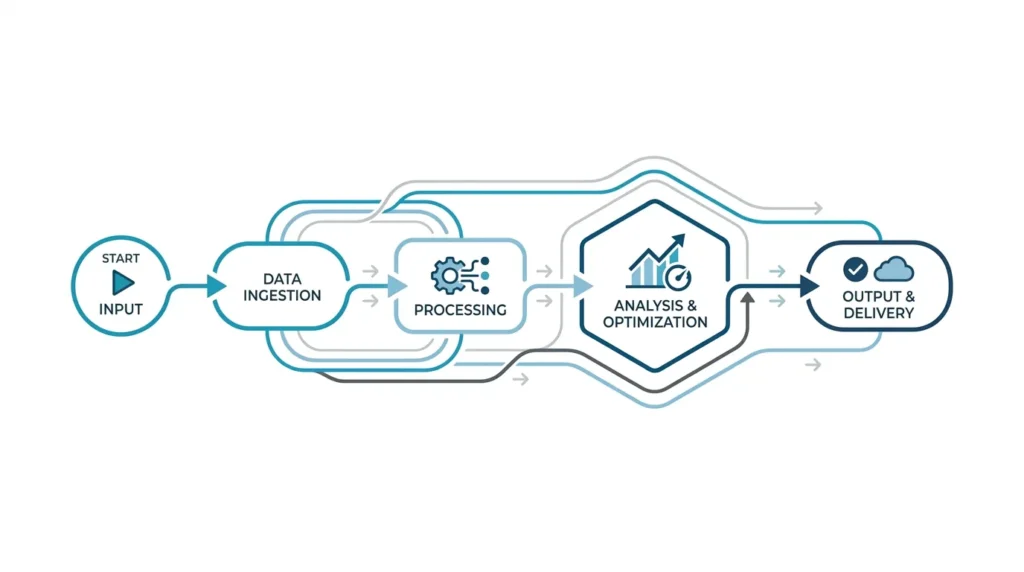
Imagine if your marketing and sales started from scratch every day as if it were Monday. Still good people, solid ideas, but a lot of manual work. Not a disaster, but expensive. And above all: you lose speed and consistency. With process automation, we turn separate actions into a tight, measurable system. Not complicated. Just focused.
In this article, we take you through a practical approach to process analysis, choosing the right candidate processes, and building workflows that truly work for online marketing and lead generation. We keep it sharp, brief where we can, and specific where we need to be. Because if you build automation without process logic, you end up with neat dashboards for work that still gets done too late.
At its core, process automation is this: we use software, workflows, and integrations to carry out steps in online marketing and online sales faster, more consistently, and in a measurable way. Think: forms that land immediately in the right place in the system, follow-ups that start at the right moment, and reporting that doesn’t have to be copied manually every week.
But it’s not just about speed. What you really want are three things:
If we do this well, your team won’t “do more.” The team will do things smarter. Automation handles the repetition, people handle the real decisions. That’s the whole story.
Most teams start with tools. That’s understandable, because tools feel tangible. But process automation always starts with process analysis. We want to know exactly where the delay or error happens. Not by gut feeling, but based on behavior in your funnel and data in your systems.
Take one use case. For example: “A visitor requests a demo. Then lead qualification happens and hand-off to sales follows.” Map the steps from start to finish, including:
Note: you do not want “every possible path” here. We start with the path most leads take. That’s where the gain is.
In online marketing and sales, you usually see friction in one of these places:
Be honest at this stage. Automation cannot save what your process refuses to describe.
You don’t need to collect ten KPIs. Choose one per phase. Example:
That makes the impact of your automation tangible. And yes, it’s sometimes a little dull to organize the data first. But better dull than later making up “explanations” for why it doesn’t work.
Not everything should be automated. We always look at recurring steps, clear triggers, and predictable outcomes. Below you’ll find processes that, in practice, are almost always strong candidates for process automation in online marketing and sales optimization.
When you add automation, your tracking often changes too. You want to keep consistent insight into what’s happening without undermining privacy and consent.
For web tracking, this usually works through a tag management approach. Within Google Tag Manager (GTM), there are, among other things, tags, triggers, and variables, with variables providing values for triggers and tags. (support.google.com) GTM also includes a data layer to temporarily store values on the site so tags, triggers, and variables can use them. (developers.google.com)
In addition, consent mode is relevant when you deal with cookies and advertising identifiers. Google describes consent mode as a way to determine how the Google Analytics tag and Firebase SDK process cookies and identifiers for advertising purposes, depending on consent status. (support.google.com)
In practical terms, this means: if you automate lead flows and send more events, check whether your tracking works correctly under different consent scenarios. That is not a “nice to have.” It is a basic requirement for data-driven decisions.
Okay, you’ve found the bottleneck, you’ve identified the candidate processes. Then it’s about implementation. And that’s where things often go wrong, because teams start building too fast without a checklist.
We design workflows in terms of:
By working this way, you make your automation maintainable. You replace “magic” with logic.
You want your workflow to deliver the same result as the manual version, but faster. That’s why we always test on three levels:
In GTM terms: you use triggers and variables to determine when a tag fires, and the data layer as the source for values. (support.google.com) This is exactly why you test first. If your event parameter name is just slightly different, your workflow may still run, but with the wrong values. And then you’re doing detective work instead of optimization.
Automation may support decisions, but for high-impact situations there must be human oversight. Think of situations involving budget changes, contractual commitments, or financial decisions. For lead generation and sales optimization, this is usually less direct, but we keep the same discipline:
This is also where we are honest about limitations. Automation cannot automatically fix poor definitions. If your SQL definition is vague, your pipeline becomes vague too, just faster.
Once you’re live, don’t just look at total numbers. Measure per process step:
Those insights guide your next iteration. And that’s where process automation really creates value: you learn faster.
If you need one more step to get internal agreement on process improvement and automation, it helps to first make the foundation clear. This hub fits well in that preparatory phase: Automating: Making Processes More Efficient.
You asked for process automation. We’ll add the sequence to that. In online marketing and sales, teams often optimize SEO or Search Engine Advertising already, but the leads don’t land well afterward. Then the investment becomes expensive twice over.
This is a logical sequence we often see work:
Start with the phase that gives you the most friction. Often that is: routing to sales and lead qualification. If leads go to the right person correctly and quickly, everything after that improves, including conversations and follow-up marketing.
In the lead lifecycle, it’s about clear criteria and consistent follow-up. In practice, this means: work with a transparent decision tree for when a lead becomes a Marketing Qualified Lead and when it moves on to Sales Qualified Lead. (This is a recommendation based on common B2B processes, not a universal law.)
Once your data flows and lead statuses are reliable, optimization at campaign level becomes meaningful. Otherwise, you optimize on the wrong signals.
For Search Engine Advertising (SEA), look at metrics such as CTR (Click-Through Rate), CPA (Cost Per Acquisition or Cost Per Action, depending on exactly what you measure), and ROAS (Return on Ad Spend). But the real question remains: does this campaign lead to the right pipeline steps?
Trade-off: more automation also means more complexity in your tracking and governance. So: step by step, and not everything at once.
Conversion Rate Optimization (CRO) is not just landing pages. It’s also the flow afterward. Think about response speed, follow-up quality, and consistency in messaging.
If your automation improves lead time, you’ll often see that reflected in higher conversion percentages in your next step. But you don’t need to expect a magic percentage. What you’ll mainly see is less variation and faster learning.
A quick reality check from practice.
If you do one thing today, do this:
Only then do you expand into campaign automation and further optimization. Not because that sounds “cleaner,” but because you then learn from reliable input. And that’s what keeps your team happy, even on busy Mondays.
Book a free strategy call and discover how many leads we can generate for your business. No obligations — just a concrete growth plan.
Book your free strategy call → Book your free strategy call — 30 min, no strings attached