
 Written by
Daniel van Hek
Search Clicks·September 24, 2026
11 min read
Written by
Daniel van Hek
Search Clicks·September 24, 2026
11 min read
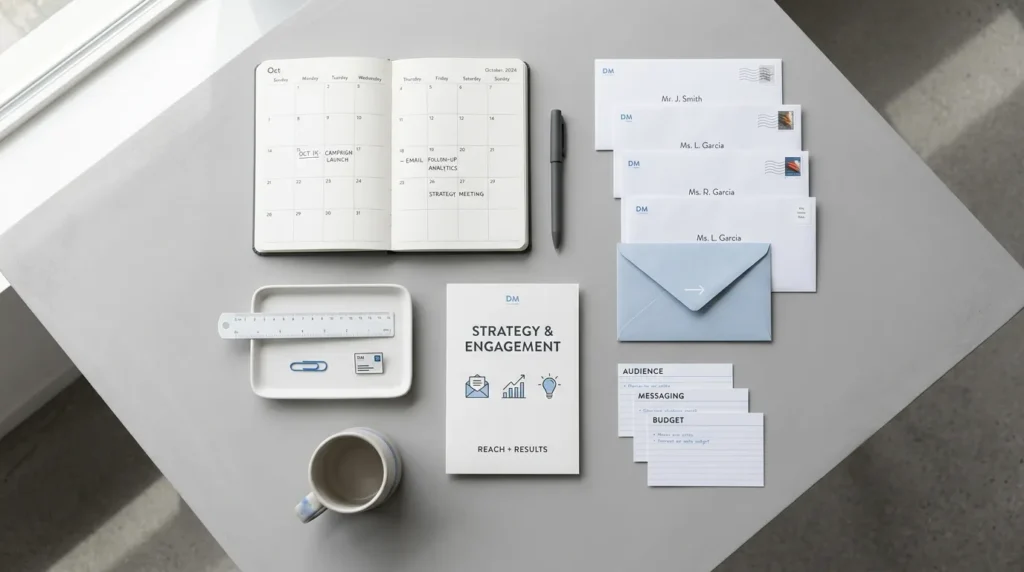
Imagine this: you’ve got a strong offer. You have a list of contacts. And yet the response never gets going. That happens more often than you think, and almost always it’s not just about “the copy.” An email campaign succeeds or fails on three things we need to get right together: segmentation, execution technique (including deliverability) and measuring the right KPIs.
In this article, we’ll take you from planning to launch. We cover campaign types for both cold outreach and emails to your existing database. We make it concrete: what works, why it works and what your next step can be right away.
An email campaign is a series of emails with a goal, aimed at a specific group of recipients. That goal can be lead generation, building interest, or turning warm contacts into appointments or new purchases.
Where it often goes wrong in practice:
So yes, you need to write well. But above all, you need to plan well.
We distinguish two main scenarios. In both cases, the foundation is the same: relevance and measurement. But the way you build it differs.
In cold outreach, you have less context. You’re working with limited knowledge about their situation. That’s why your first email should do one thing above all: build trust and offer a small, logical next step.
In practical terms, that means:
Want to work this out more broadly into outbound strategy? Then take the next step through this article on Cold Outreach: Approaching Unknown Prospects. It helps you translate the same principles to prospects you don’t know.
With your database, you usually already know something. Think of previous conversion, website behavior, content downloads, or earlier conversations. That lets you make the message much more precise.
In practical terms, that means:
Segmentation is not a “nice-to-have.” It is often the difference between a campaign that just works and a campaign that really delivers returns. But segmentation has to stay practical. Otherwise you build a model nobody can maintain.
For cold emails, we usually recommend a combination of:
Why this works: you reduce the “distance” between your offer and their day-to-day reality. That feels personal, without you having to pretend you’ve dug through their CRM.
For existing contacts, criteria such as these work well:
Why this works: you’re steering on intent and timing. You help people through the process instead of pushing them with the same message over and over.
Timing is rarely the only factor. But it is a factor you can test without blowing up your entire campaign.
What we do in practice:
You may be thinking: “But then we’re missing the ideal day and time.” True. That’s why we test, but we test in a controlled way.
On A/B testing for email: in principle, you can test variables such as subject line, CTA and send time. The point is to set up your tests so you are not measuring two variables at once. That is also emphasized in email testing guides. (salesforce.com)
You can have a top campaign, but if you’re not properly authenticated, your reach goes down. This matters extra because large providers are tightening sender requirements and judging bulk senders strictly.
Google states that bulk senders sending many messages to Gmail accounts must meet requirements from February 2024. Google also recommends setting up SPF, DKIM and DMARC to improve deliverability. (support.google.com)
Yahoo describes similar sender best practices and mentions enforcement of standards from February 2024. (senders.yahooinc.com)
Practical next step for your email campaign:
For commercial email in the United States, the CAN-SPAM Act is the guiding law. The FTC emphasizes that commercial email has rules, including the right to stop receiving messages and clear identification and opt-out information. (ftc.gov)
Europe has its own rules under GDPR and ePrivacy, where you need a proper legal basis and also need to take email direct marketing rules into account. The European Commission and the ICO provide general frameworks for the legal basis and direct marketing by email. (commission.europa.eu)
Important nuance: compliance is not a checklist you do once and then forget. You need to keep managing the process, especially when building lists and changing how you collect or enrich contacts.
We use A/B testing not to “find” a winner by luck. We use it to back up decisions. That is why tests need to be small, logical and measurable.
As a rule of thumb for A/B testing: many guides emphasize that you can test multiple elements, but ideally you test one primary variable at a time for clear conclusions. (open-rate.com)
And a dry joke from practice: if your test results suddenly look very good, check whether deliverability may also have improved by chance. Otherwise you’re effectively testing two things at once.
Most teams look at opens. That’s understandable, but it doesn’t tell you everything. You want to know whether your email campaign produces real follow-up actions.
That’s why we steer on a KPI set that fits your goal:
If you want to improve CVR and CPA, your tracking has to be right. Use a fixed approach with URL parameters and unambiguous event definitions. Whatever you work with, make sure you pass the same events consistently into your reporting.
Many teams use Google Analytics 4 (GA4) for conversions and Google Search Console (GSC) only for SEO signals, but email conversion tracking usually does not belong in GSC. So focus on GA4 and your campaign logic. (If your team has a specific tracking process, align with that.)
Here is a practical order we use in many email campaigns. Feel free to treat it as a checklist.
Write down in one sentence what you want the recipient to do. Is it a demo request, a content download or an appointment? The more concrete it is, the easier it is to test and measure.
We usually recommend working with a sequence of multiple emails so your message can build. A sequence works because people do not always respond to the first touchpoint.
Check SPF, DKIM and DMARC, and verify your opt-out and identification in line with your relevant laws and guidelines. Google describes the sender requirements and recommends authentication for better delivery. (support.google.com)
After sending, monitor deliverability and engagement signals, and look at your primary KPI. If deliverability drops, don’t stop in panic mode; diagnose immediately. An email campaign is not a water cannon. You need to find the cause.
If you take one thing with you, let it be this: an email campaign is a system, not a standalone email. You win through segmentation that matches intent, by setting deliverability up properly and by running tests that actually teach you something.
Our suggestion for your next step:
Then you’re not just “sending.” You’re optimizing. And that is exactly where growth in online marketing and online sales usually comes from.
Book a free strategy call and discover how many leads we can generate for your business. No obligations — just a concrete growth plan.
Book your free strategy call → Book your free strategy call — 30 min, no strings attached