

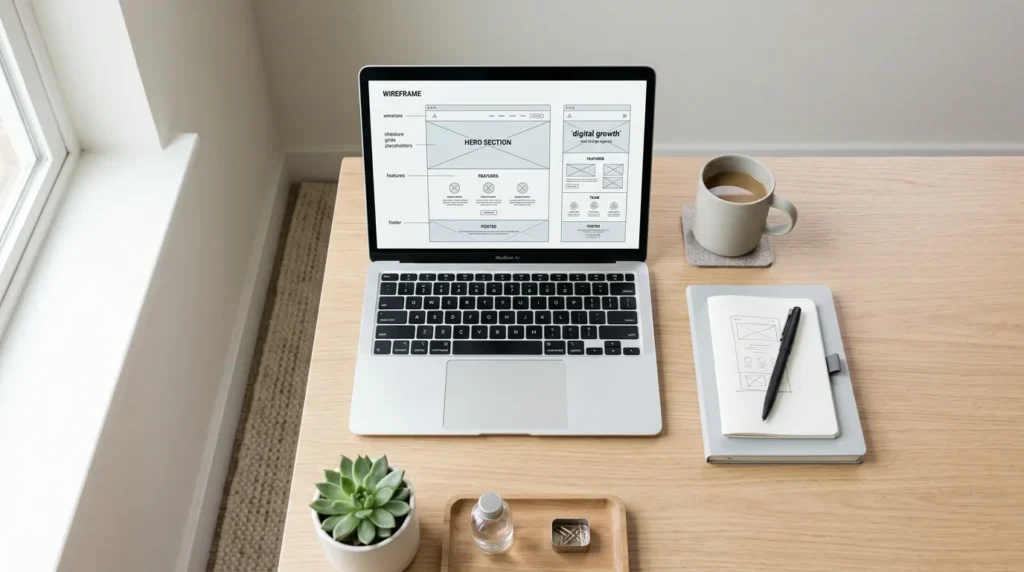
Imagine this: you have a beautiful WordPress website, but you are not getting enough inquiries from it. Or you see traffic, but the right people do not click through, do not fill in a form, and do not book an appointment. Sound familiar. As an experienced marketing specialist, I have seen this pattern many times. And almost always, the cause is not “design alone”, but a mix of structure, page experience, conversion flow, and measurability.
In this article, we will walk you through what a wordpress webdesigner should be able to deliver for you, when the goal is: optimize online marketing and online sales for growth. We will keep it practical. You will get strategy, but also concrete steps you can put into action tomorrow. No magic. Just method. (And yes, a little dry humor is fine, as long as it does not work against your funnel.)
What a good WordPress web designer really needs to deliver (not just a site)
If you search for “wordpress webdesigner”, you quickly get answers that are mostly about layout. But for growth, you want four deliverables that work together. Think of it as a team sport, not separate jobs.
1) A website that can be found, without tricks
SEO starts with the basics: a logical page structure, clear content, and pages that render well. Google focuses on relevance and page experience here. Google says ranking systems also take user experience into account, and that Core Web Vitals are part of “page experience”, but not the full explanation. (developers.google.com)
In practice, this means for you:
- An information architecture that matches how your customers search and compare.
- Landing pages with one primary goal (for example, a request), not a general “about us” page trying to be everything at once.
- Technical hygiene, such as speed and a clean HTML structure.
2) A conversion path that works for your audience
You do not just want traffic. You want Lead Generation that is commercially interesting. That requires a conversion flow that matches visitor intent.
Concretely, we look at three questions in your design:
- What is the next step for the visitor, in one sentence?
- Why should they trust you for that step?
- What makes it easy to take that step (form, scheduling, proof, timing)?
A good WordPress web designer translates this into page sections that are logical, load quickly, and feel consistent.
3) Tracking that measures your Lead Generation, not just site behavior
Do you know what happens after a form request? Does that Lead Generation end up with the right sales team? Is it followed up? Are we measuring the right actions as conversions? In Google Analytics 4, a conversion is called a key event. Google explains that a conversion originates from an Analytics event and gives a consistent way to measure important actions in both Analytics and Google Ads. (support.google.com)
That is why your web designer must understand how to design and measure conversions. Examples of key events for a service business:
- Form submitted (with success confirmation).
- Appointment booked (calendar success page or event).
- Contact started (for example, click on “call us” or “request a quote” with real intent).
Important: we do not measure “traffic”. We measure actions that can lead to genuine commercial interest.
4) Content and layout that stay accessible and scalable
Accessibility is not just ethics. It is also conversion. WordPress has its own accessibility approach and documentation on best practices. (wordpress.org)
And in the WordPress world, we see a trend toward blocks and editor architecture. The Block Editor has guidelines for performance and asset handling in editor context. (developer.wordpress.org)
You notice this because a site stays easier to manage and pages are less likely to break when you update them or add new content.
Our approach: from strategy to WordPress web design for growth
Let’s stay practical: how do you handle this without finding out months later that your website looks good, but does not sell?
Step 1: Start with your business goals and your Ideal Customer Profile
We need an ICP, but used as a marketing term: the Ideal Customer Profile, meaning the type of customer most likely to buy or invest.
Make a short list of:
- Which services and journeys fit your ICP?
- What questions do prospects ask before they book or request?
- Which objections usually stop them? (price, time, quality, technology, process)
This determines which pages you need and how you build them.
Step 2: Design a page set, not just one homepage
A homepage can be a “cover”. But for Lead Generation, you often need more:
- Service landing pages (with intent)
- A page for approach or process (to build trust)
- A page with proof (case studies, results, methodology, certifications)
- A contact or appointment page (with minimal friction)
Want to go deeper from a broader marketing angle? Use this internal page as extra context: Marketing SEO: How SEO and marketing come together.
Step 3: Make page experience part of your design choices
We look at it as a funnel brake: if a page is slow or feels chaotic, your Conversion Rate (CVR) drops. That is not just “technology”, that is marketing execution.
Google says page experience is part of the broader ranking story, and that scoring systems do not guarantee you will end up at the top. (developers.google.com)
That is why in projects we always do this:
- We choose a design that does not depend on extremely heavy elements.
- We pay attention to loading speed and content stability.
- We test with real conversion flows, not just “pixel perfect” screenshots.
Step 4: Build conversion blocks you can reuse
A WordPress web designer who works for growth does not build one-off pages. They build a set of reusable content blocks, such as:
- Problem and promise section (short, concrete)
- Step-by-step process (what happens when)
- FAQ with real objections
- Social proof and evidence
- Appointment CTA with one clear action
This helps you with scalability and speed during iterations. Because growth is often not a “one shot”, but optimization.
Step 5: Put tracking and key events in place right away
This is where many projects go off the rails. People build a site and only think about measurement later. We do the opposite. We define key events from day one. In Google Analytics 4, conversions are created from events and used to measure important actions consistently. (support.google.com)
Practical checklist for key events:
- Which action counts as a real commercial step for us?
- How do we prove success? (for example, success page or confirmation state)
- Where do we send data for reporting and follow-up?
- Which visitors are outside scope? (test accounts, internal traffic)
For workflow and process, you should also think about automation. If you want to go in that direction, this fits well: Process Automation: Optimizing Workflows for Growth.
SEO and CRO on WordPress: what works, why it works, and what to do next
This is where it gets interesting. We are moving from general tips to choices you can implement. We split it into SEO and CRO, because they influence each other, but require different attention.
SEO for WordPress web design: focus on intent and page structure
Google’s ranking systems are designed to find and rank relevant content. (google.com)
In practice, this means:
- You create pages that answer the visitor’s search intent.
- You use headings and content in a way that is easy to scan.
- You limit distraction above the content that solves the question.
For WordPress web design, it works well to structure your content first and only then do the visual layer. That keeps the website logical, even when you make changes later.
CRO for WordPress web design: focus on one conversion goal per page
In CRO, one question is central: why is the visitor not taking the action? We do not look for it in “color choice”. We look for it in friction and uncertainty.
Concretely, we often test:
- CTA placement and wording (short, specific)
- Form length and fields (ask only for what you need)
- Proof blocks close to the decision point (answers to objections)
- Processing-time expectations (what happens after submission)
Next step you can take right away: make a list of 5 pages that get the most traffic or intent, and assign one key event to each page. Then you know where improvements can really save money in your marketing efforts.
SEO plus CRO together: why it usually gets results faster
When SEO brings you the right people, but CRO sends them toward the wrong action, your Lead Generation lags behind. The reverse is true too. That is why it pays to treat SEO and marketing together in your planning. A useful direction for this can be found here: Marketing SEO: How SEO and marketing come together.
Practical checklist for choosing your WordPress web designer
Okay, you want to choose. This is the moment when many teams choose based on gut feeling. We prefer to stick to evidence and process.
Checklist: questions to ask during an intake
-
Which page set do you recommend for Lead Generation?
You want to hear which service landing pages, process pages, and appointment pages they suggest, and why that fits your ICP.
-
How do you design the conversion flow?
Pay attention to whether they talk about intent, proof, friction, and next steps, not just styles.
-
How do you secure tracking and key events?
They should explain what a conversion is within Google Analytics 4, and how they measure key events consistently. Google gives that measurement logic based on events. (support.google.com)
-
How do you test page experience?
Not just scores. You want a test plan linked to behavior and conversions. Google emphasizes that more than Core Web Vitals is needed. (developers.google.com)
-
How do you make the site scalable for new content?
A WordPress web designer must know how blocks and editor architecture contribute to manageability. The WordPress documentation covers performance and asset and editor context. (developer.wordpress.org)
Checklist: what you lock down in the contract in practical terms
- Which key events are launched and tested live.
- Which pages are delivered with which goal.
- Which content input we expect from your side, and what the web designer delivers as content help.
- What the delivery definition is, for example “tracking success works in test” and “form submission creates a key event”.
Price and scope: avoid arguments later
You want clarity on what you get. If you are thinking about costs, this internal article helps make choices and guide prices discussable: WordPress website pricing: guide prices and choices.
More leads with local SEO and a WordPress website that understands your region
If your customers search locally, you want your WordPress website to support landing pages and structure for regional intent. Local visibility helps, but it still has to match your marketing goals.
For local growth, you can use this deep dive: Local SEO Agency: Improve Local Visibility.
In practical terms, think about this:
- Local landing pages with unique content that genuinely add value.
- Information prospects look for before contacting you, such as region, approach, and lead time.
- Clear callouts to contact options in the right flow.
Watch the trade-off: local pages require content discipline. Only create them if you can manage them properly. Otherwise, they quickly become a list of generic pages, and that helps nobody.
Automation and follow-up: where WordPress web design stops and your marketing system begins
A website is the starting point. The real value for Lead Generation often comes from follow-up. This is where automation comes in, but with discipline.
Where automation does fit
Here, automation means using software and workflows to optimize online marketing and online sales activities, for example:
- Lead capture and enrichment (so the sales team has the right context immediately)
- Lead qualification rules (for example, based on the questions filled in)
- Fast follow-up with a consistent message
- Reporting and status updates in your CRM (Customer Relationship Management)
For the process itself, this is a logical next step: Process automation for online marketing and sales.
What you should never automate without human approval
Be honest: not every step should be translated automatically into “action”. You do not want a system that makes budget changes, contractual commitments, or financial decisions without review. Prefer to automate the fast parts, and leave important decisions to a person.
WordPress web design for growth as a starting point, not a finish line
If you use WordPress as a growth engine, it makes sense to connect your approach to a checklist. This internal page can help: WordPress web design for growth: approach and checklist.
Final check: how to know your WordPress web designer is heading in the right direction
You do not need gut feeling. You want signals you can test. These are three metrics that move you forward:
- Key event consistency: is the right action marked as a conversion in Google Analytics 4, according to the measurement definition. (support.google.com)
- Conversion flow: visitors do not just arrive, they take a commercial step (request or appointment).
- Page experience: pages load smoothly and stay stable, and that contributes to a better user experience. (developers.google.com)
And if you want to build authority alongside your site, link building belongs in your SEO strategy, provided it is done carefully. If you have questions about that, read this: Hire a link building agency: what to watch for.
Conclusion: choose a wordpress web designer as a growth partner, not a “builder”
There you go. If you are looking for a wordpress webdesigner, look for someone who understands your marketing and sales goal. You want a site that performs on relevant intent, reduces conversion friction, and measures key events correctly in Google Analytics 4. Google explains how conversions in GA4 arise from events as key events and are measured consistently. (support.google.com) And Google makes it clear that page experience is part of the broader ranking story, without one score explaining everything. (developers.google.com)
Our recommendation for the next step is simple:
- Make a list of your ICP and your business goals.
- Define the page set for Lead Generation (not just one homepage).
- Define key events and test them early in the project.
- Work with reusable conversion blocks so you can optimize.
And if you notice that your SEO and SEA efforts are not connecting well with your site, that is a good moment to strengthen your approach. A useful starting point is: Google optimization agency: SEO and SEA expertise.
All good. The only thing you do not want is a website that only “looks good in a demo”. We want something that feeds your pipeline. Every week, not just on launch day.
