

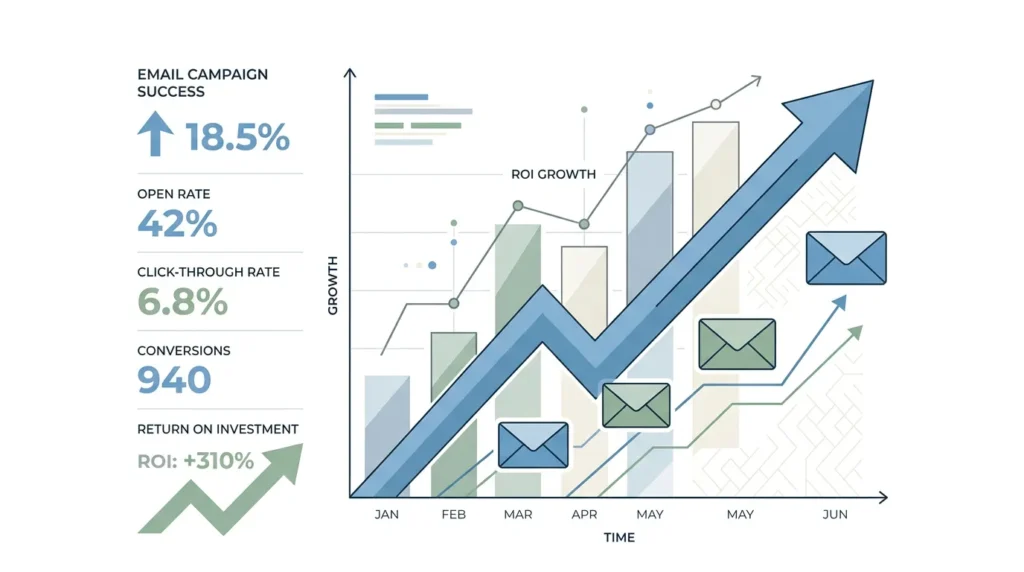
You have email marketing running. Maybe with a newsletter. Maybe with nurture, onboarding, or winback. And now you want something that goes beyond “we had clicks.” You want to know what it delivers, in euros or at least in real business value. That’s called roi email marketing: Return on Investment. Not as a reporting number, but as decision-making input for budget, creative, and sequencing in your campaigns.
In this article, I’ll walk you through a practical way to calculate, measure, and improve email marketing ROI. Short where it can be. Clear where it needs to be. And without sales fluff. (Though marketing is always a little magical. Until you see the numbers.)
What ROI in email marketing really means — and what it doesn’t
Let’s start with an important nuance. “ROI” is not a mystical score. It’s a ratio: what you get back compared with what it costs. In email marketing, it’s about the profit or revenue you can attribute to email, divided by the cost of running email.
The basic formula for roi email marketing
There are several variants. We use one that works well in practice:
- ROI (in percent) = (revenue attributed to email marketing minus total email costs) divided by total email costs, multiplied by 100.
This aligns with standard explanations of ROI and email measurement methods, where you compare revenue against costs. (litmus.com)
Why “revenue attributed to email” is tricky
Email is rarely the only reason someone buys. Often, it’s one step in a journey. After that, someone clicks an ad, searches organically, or calls. That’s why you need to be honest about your measurement strategy.
Industry insights emphasize that if you optimize too much for open or click behavior alone, you risk focusing on activity instead of business outcomes. (dma.org.uk)
And that “last touch” (the last channel before purchase) can understate email, because email often builds trust earlier. (dma.org.uk)
What we do instead: improve measurability with realistic attribution
You don’t have to be perfect. You do have to be consistent. Choose an attribution logic your team understands, and report it the same way every month. HubSpot, for example, explains how attribution reports help track marketing impact toward contacts, deals, and revenue. (knowledge.hubspot.com)
The metrics you need to calculate roi email marketing
You can’t calculate ROI properly if your input is messy. That’s why you need a compact set of metrics. These are also audit-proof, because everyone on your team can trace them back.
Step 1: connect revenue or margin to email
First decide what you want to work back from:
- Revenue attributed to email campaigns
- or contribution margin if you can split out product cost and variable costs
I recommend margin if you have that data. Then your ROI becomes less “deceptive” with expensive product mixes. But revenue is fine as a starting point.
Step 2: understand email costs (not just the tool)
Total email costs normally include:
- tool costs (email platform, integrations)
- content and design hours (internal or external)
- management and testing costs
- variable costs you can quantify (for example, extra segmentation or data costs)
What you should not do is underestimate costs “because we have people on payroll anyway.” That keeps your ROI number wrong in a way that sticks.
Step 3: use behavioral metrics as signals, not the final goal
Open rates, clicks, and click-through rate (CTR) are useful for diagnostics. But they are not ROI. Litmus, for example, identifies CTR and conversion metrics as important indicators of email performance. (litmus.com)
Use this set, in this order:
- Deliverability (your email actually arrives, otherwise you are not measuring reliably)
- CTR and conversion rate (CVR) on the landing page after the click
- revenue per email or revenue per 1000 sent if you can report it that way
- ROI as the final score
CTR and CVR, explained quickly and clearly
- CTR = (number of clicks divided by number of delivered emails) multiplied by 100
- CVR = (number of conversions divided by number of visits from email clicks or uniquely tracked sessions) multiplied by 100
Important: define conversion. Is it a form? A purchase? A booking? Make it one definition per campaign. Otherwise your ROI seems to “float.”
Set up tracking so you can justify email marketing ROI
This is the part where teams often lose time. They have beautiful dashboards, but the attribution is wrong or incomplete. So here is the practical route.
Step 1: create your measurement plan for each campaign
For every email campaign, write down in advance:
- which conversion counts
- which audience you are targeting (segment)
- which landing page or flow belongs to the email
- which period you attribute (for example, 7, 14, or 30 days after sending)
Trade-off: longer attribution windows capture more of email’s role in the journey, but they make it harder to separate the impact “cleanly” from other touchpoints. So choose deliberately.
Step 2: make sure your CRM or analytics is linked reliably
If you work in a CRM, you want your email interactions to connect with contacts and deals. HubSpot describes how attribution reports use definitions to track marketing contribution toward contacts, deals, and revenue. (knowledge.hubspot.com)
If you work in Google Analytics, check that you can see the same event definitions in your funnel. (I mention GA4 specifically because many teams get stuck there with tracking variables, such as missing parameters or duplicate events.)
Step 3: be honest about your attribution model and reporting method
In practice, you will see three models:
- Single-touch, for example last click or first click
- Multi-touch, where credit is distributed
- Holdout or incrementality tests, where you look at causality
Most teams start with single-touch because it is quick. Later, you add multi-touch or a simple incrementality check for more certainty.
DMA writes about this implicitly by warning that last-touch may underestimate email’s role, and that with longer journeys you may need multi-touch attribution or broader value indicators. (dma.org.uk)
Step 4: calculate ROI at the right level
ROI at the overall account level is fine for management. But you also need to zoom in:
- per campaign
- per segment
- per lifecycle stage (acquisition, onboarding, repeat, winback)
- per offer type (discount, trial, content, upgrade)
If you don’t do this, you end up optimizing for the wrong habit. Then you get “good” ROI in one segment and poor ROI elsewhere, without noticing.
If you also want to steer broader online channels on measurability, it helps to organize your lead flows clearly. For example, you can go deeper into how to combine your digital channels for lead generation via Generate Online Leads: Use Digital Channels Smartly.
Optimize: turn ROI insight into more profitable email marketing
Improving ROI often feels like “make nicer emails.” That can help, but it is rarely the biggest lever. The biggest gains usually sit in the chain after the click, plus segmentation and timing.
Where ROI usually breaks down, and what to do about it
- Your CTR is fine, CVR is low: your landing page does not match the promise in the email, or the offer is not relevant. Next step: match the landing page to the message and reduce friction in your form or checkout.
- Your conversion happens outside your attribution window: email contributes to the journey, but you do not measure it. Next step: test a longer window and report both versions.
- Your open rates are dropping, but ROI stays flat: that can happen because of privacy and tracking limits. Next step: focus on CTR, CVR, and revenue per send, not opens as your primary KPI.
- Your segment is too broad: you are sending one message to everyone. Next step: refine segments based on intent or behavior, and test with small batches.
Which optimizations you can test the fastest
Use a testing logic that fits how your business works. For example:
- Offer testing: variant A versus B (for example, trial versus demo, discount versus bonus)
- Timing: same message, different send times or frequency
- Subject line and preview text: impact on CTR, measurable within one cycle
- CTA: one clear action, not three nice options that nobody chooses
Litmus emphasizes that you are better off measuring toward conversions and not just activity. (litmus.com)
Why automation helps, but not on autopilot
Automation, in the context of online marketing and online sales, means software and workflows that make your campaigns more efficient: lead capture, follow-up, CRM updates, and reporting. That is useful, but you need to connect your rules to measurable outcomes.
For ROI focus, that means:
- automatic flows that only use triggers that have proven intent signals
- step-by-step follow-up with control over contact frequency
- exclusion logic as soon as someone converts or becomes a Sales Qualified Lead (SQL)
Trade-off: more complexity in your workflows means more maintenance and a higher chance of edge cases. So start small, then scale.
Practical next step for this week
If you want better ROI reporting tomorrow, do this:
- Choose one email campaign or flow with clear conversions.
- Define one conversion and one attribution window.
- Calculate ROI using the basic formula: (revenue minus costs) divided by costs.
- Break down: where is the money leaking, in CTR or in CVR or in attribution?
- Plan one test that directly targets the bottleneck.
That is how you move from reporting to decision-making. No spreadsheets as an art form, but decisions with impact.
And if your email marketing is connected to broader funnel activities, it is smart to combine your inbound and outbound approach logically. See also Inbound and Outbound Marketing: Differences and How They Work Together for a practical framework to align channels.
Examples of ROI calculations, including pitfalls
I cannot promise concrete results, because ROI depends on your margins, offer, channel mix, and tracking quality. But I can show you how to build it so your team understands what is happening.
Example 1: e-commerce with a direct purchase
Suppose:
- Revenue attributed to email for this campaign: $29,000
- Total email costs for this campaign: $5,800
Then ROI = (25.000 minus 5.000) divided by 5.000 x 100 = 400%. (For illustration. Use your real numbers.)
Pitfall: if you only count tool costs, you get an overly optimistic picture.
Example 2: B2B with a request or demo as the conversion
In B2B, the conversion is often not a direct sale. You can calculate ROI based on:
- revenue attributed to deals in your CRM
- or a provisional “value per request” until you can connect the deal rate properly
Pitfall: if you only optimize for requests, you can generate too much pipeline without quality impact. That is why you also want to include Sales Qualified Leads (SQL) or deal quality in your reporting.
Example 3: email as an assist channel (impact before the purchase)
DMA warns that email can contribute earlier in the journey and that last-touch reporting may underestimate email’s role. (dma.org.uk)
Practical approach:
- report a multi-touch or data-driven view alongside last-touch
- or extend your attribution window
Trade-off: your report becomes more complex, but your decision-making becomes more realistic.
Frequently asked questions about roi email marketing
Is open rate relevant for ROI?
Open rate is a signal, not an ROI goal. Use it mainly to monitor deliverability and improve subjects. But for business value, you usually want to focus on CTR, CVR, and revenue or margin, because activity is not the same as outcome. (litmus.com)
Which attribution method should I choose?
Start with one consistent approach your team understands, such as single-touch with a chosen window. Then expand toward multi-touch or incrementality where possible. HubSpot describes attribution reports as a way to track marketing impact toward deals and revenue. (knowledge.hubspot.com)
How does email ROI compare with other channels?
Email ROI is part of your total channel performance. If you use multiple channels, attribution becomes more important. Many companies organize their system better by first defining lead flows and channel roles clearly. A broader approach to generating online leads can help with that. For example, via Generate Online Leads: Use Digital Channels Smartly.
And if you also use Search Engine Advertising, it is smart to set your budget and measurement systems in the same logic as email. Think about budget setting and iteration, for example via Set SEA Budget: How Much to Invest in Google Ads? and SEA Optimization: Continuously Improve Campaign Marketing.
Conclusion: make email marketing ROI measurable and steerable
If you take roi email marketing seriously, it comes down to three things: clear conversion definitions, reliable linkage between email and business outcome, and an attribution strategy you can explain.
My advice, short and practical:
- Calculate ROI with real revenue attributed to email minus total email costs. (litmus.com)
- Use open and click behavior as diagnostics, but steer on CTR, CVR, and revenue or margin. (litmus.com)
- Report consistently by campaign, segment, and lifecycle stage so you can see where profit leaks.
- Plan one test that directly addresses your bottleneck, not the thing that just sounds nicest.
Next step: choose one campaign, make the ROI calculation for the past period, and put one experiment on the table for the next send cycle. That is how ROI turns from spreadsheet into steering wheel. And honestly, that feels a lot better than just “a lot of engagement.”
Tip for your team: if email marketing is part of a broader growth approach, make sure your online strategy also lands operationally. That can be done, for example, via Implement SEO Online: Practical Step-by-Step Plan or through an integrated search and ads approach. Also see Google optimization agency: SEO and SEA for growth.
