
 Written by
Daniel van Hek
Search Clicks·September 19, 2026
10 min read
Written by
Daniel van Hek
Search Clicks·September 19, 2026
10 min read
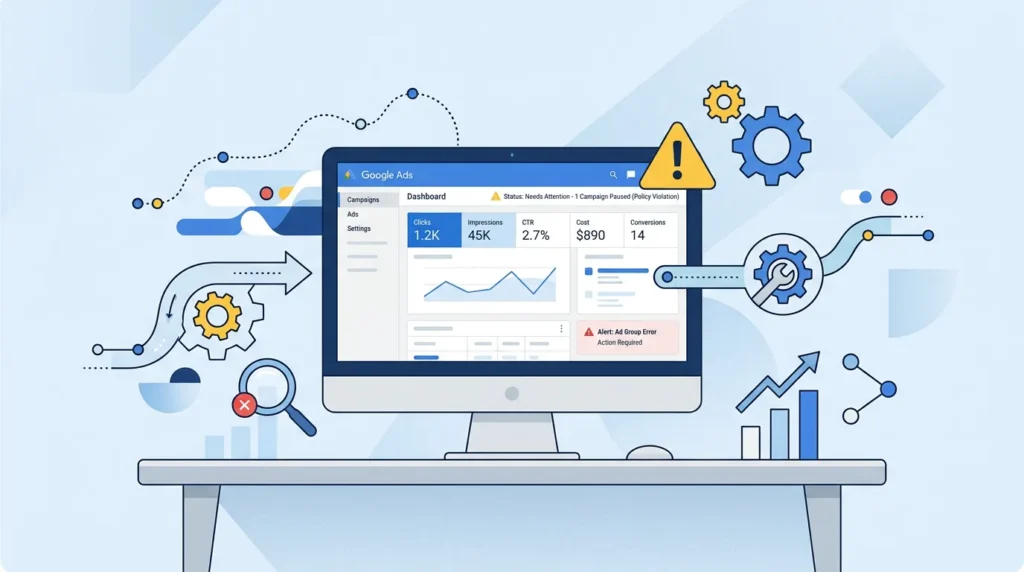
Let’s play devil’s advocate with your own dashboard: “Google Ads 400” is not an official campaign or bidding strategy. In practice, people usually mean an error message with HTTP status code 400 while something is loading or being sent in Google Ads. Think of an issue in your settings, your conversion tracking, your URL parameters, or a problem with an import, editor session, or API action.
The tricky part is that a “400” only says the request is not correct. The real reason is usually in the error details, the log message, or the specific rule that gets rejected. That’s why we treat “google ads 400” here as a problem category: you need to find the cause at the level where it fails, and only then improve it structurally.
We handle it the same way we do in real account audits: first find the cause, then prevent it, then optimize so your budget lands in the right place.
You start with one question: where do you see the error exactly?
In most cases, it shows up in one of these places:
What you do now in practice:
Tip with dry humor: Google Ads does not tell you “why” in one sentence. You have to treat it like a card reading. The first step is: find the cord you have tied to the dashboard and where it snaps.
There are also situations where people use “google ads 400” as a general term for “my account is acting weird.” Then it is even more important to capture the exact error text, because the solution differs by cause.
Once you solve the error, you do not want your team fighting the same fire again two weeks later. So you make your account more robust.
For SEA (Search Engine Advertising), a lot of optimization revolves around conversions. If conversions are wrong, the bidding mechanism does not respond the way you think it does.
So:
For bidding strategies with a target value, that is extra important. Google describes Target CPA, for example, as an automated bidding strategy that tries to align bids with a target cost-per-action (CPA). (support.google.com)
Quality Score in Google Ads is a summary of ad quality at keyword level. Google advises you to use Quality Score as a diagnosis tool, not as a mystical number. You look at where it is bottlenecking: ad copy, relevance, landing page experience, or keyword selection. (support.google.com)
What this can have to do with “google ads 400” is indirect: if you are constantly tweaking everything in an account without control, you increase the chance of misconfigurations. Quality as a process therefore helps you do fewer “crash edits.”
We usually advise teams to set up simple change hygiene:
If your team often does “quick edits,” then this is the brake disc you need. Not glamorous. Effective.
Suppose that “400” is gone now. Then the real win starts: you use the momentum to steer your SEA better. This is where we get practical.
Your focus determines your direction. Do you mainly want more Marketing Qualified Leads (MQL’s) or do you want cost per lead (Cost Per Lead, CPL) down? Or are you steering on real customers, so Cost Per Acquisition (CPA) with “CPA as Cost Per Acquisition” (or as Cost Per Action, but always specify which type of conversion you are counting)?
Google Ads helps you choose based on goals. Google explains that bidding strategies exist to achieve goals such as conversions, leads, or conversion value. (support.google.com)
In practice:
Pay attention to the trade-off: an automated bidding strategy needs time and data to respond well. If you have just changed a lot, the system temporarily gets less consistent signals.
If you use Quality Score as a diagnosis tool, you know faster where you make the difference. Google says you can monitor Quality Score and use it to direct optimizations to the places where you can genuinely improve. (support.google.com)
We approach it like this:
That is not just “quality.” It is also budget protection, because less waste is ultimately what lead generation is often about.
An error can undermine your tracking. So after solving “google ads 400,” check immediately:
If you want to set this up properly, it helps to think broader than campaign buttons alone. For example, this fits well with Google Ads SEA: How to set up Search campaigns properly.
Let’s keep it human: you do not want to play account manager. You want leads. So we turn the funnel into a workable approach.
You cannot only steer on broad awareness and hope it lands later. So we look at each phase:
That connects your ad and landing page, so you are not investing in clicks that show no real commercial interest.
If you want to bring search intent and measurability together, this is a logical deep dive: Sea sem: from search intent to measurable leads with SEM.
A “400” can immediately make you think of technical errors, but afterwards you often also have an organizational problem: you change too quickly and too often. You can solve that by seeing landing page optimization as a fixed part of your process.
What usually works:
If you want a starting point focused specifically on conversion, then this article fits well: Lead generation website: optimization for conversion (brief).
Even if you solve “400” quickly, your budget can still lose time, or traffic can be sent to the wrong pages. That is why we manage budget based on performance and control.
Good budget discipline is more than “checking once a month.” We mean it as a routine:
If you want to make this more practical right away, definitely read: Sea budget: how to keep your Search campaigns tight.
Okay, no big strategy for later. Let’s make it doable today.
If you notice this is taking too much time internally, you can also think about collaboration, but with a clear scope. This can help if you want to weigh the pros and cons: Outsourcing lead generation: costs, benefits and approach and Lead generation agency: when outsourcing pays off.
And if you connect your broader marketing mix to measurable results, it is also relevant to integrate SEA, SEO and technical tracking. This fits that approach: SEO SEA SEM explained: from click to customer.
Not necessarily. It can also be a specific setting, an asset that does not comply, or a step in a process such as import or automated change. The error details are leading.
You can keep going, but we recommend checking your measurement chain first. Not because we “always say that,” but because bidding strategies and optimization depend on conversions. Google explains, for example, how Target CPA is linked to cost-per-action goals. (support.google.com)
Then it becomes an optimization question. You look at search intent match, landing page relevance, and qualification. If you want to see the route to more measurable leads there, this helps: Sea optimization: from clicks to measurable leads.
“Google Ads 400” sounds like a simple error. In practice, it is a signal that somewhere a request or configuration is not right. We therefore solve it in three steps: diagnosis at the point where it fails, prevention through change hygiene and conversion checks, and then optimization so your SEA once again leads to consistent lead generation.
If you do one thing today, do this: pull out the exact error details and isolate the last change. After that, we get your conversions, Quality Score diagnosis, and budget discipline back into the right setting. Then that error is not just solved, it has become useful.
And yes, if your system says “400” again, it is not the end of the world. It is just a reminder that marketing and technology need to check each other’s homework.
Book a free strategy call and discover how many leads we can generate for your business. No obligations — just a concrete growth plan.
Book your free strategy call → Book your free strategy call — 30 min, no strings attached